Add To Time Action in Power Automate
Introduction- In this blog we will understand the "Add to time" action of power automate/ cloud flow.

Note- This action adds the mentioned value however it does not validate the output date. There is a possibility of the output being a non existent date time value.
Explanation-
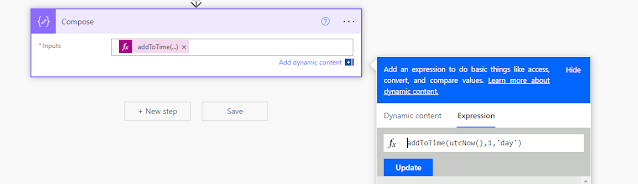
Add to time will add a integer number of a specified unit of time to the timestamp passed.
Example- We can add 1 day/ second/minute/year/month to the passed time stamp.
Syntax- addToTime('timestamp',interval,'timeUnit','dateFormat')
Date format is optional.

Output-

Note- This action adds the mentioned value however it does not validate the output date. There is a possibility of the output being a non existent date time value.


Comments
Post a Comment